SAFI™ - Structural Engineering Software
0

40 years of trusted, productive engineering.

Substation & Transmission Tower Design Software

Virtual Tower Structures® takes substation structures from 3D model to shop floor in one program: ASCE 10 and ASCE 48 analysis and design, automatic connections, shop drawings, bills of materials and NC files.

  • Design codes
  • ASCE 10-15
  • ASCE 48-19
One program, from model to shop floor

Electric Substations Software from 3D Model to NC Files

VTS Virtual Tower Structures® is an integrated environment for the structural analysis, design, fabrication and detailing of electric substations and distribution structures such as lattice gantries, columns and beams.

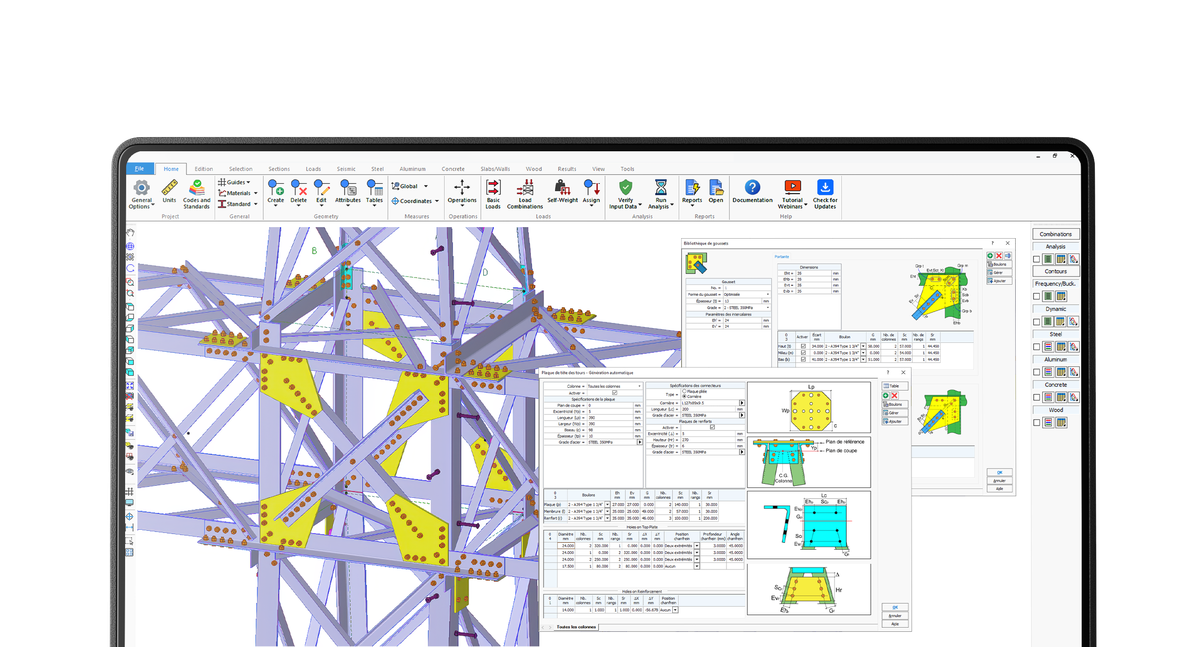
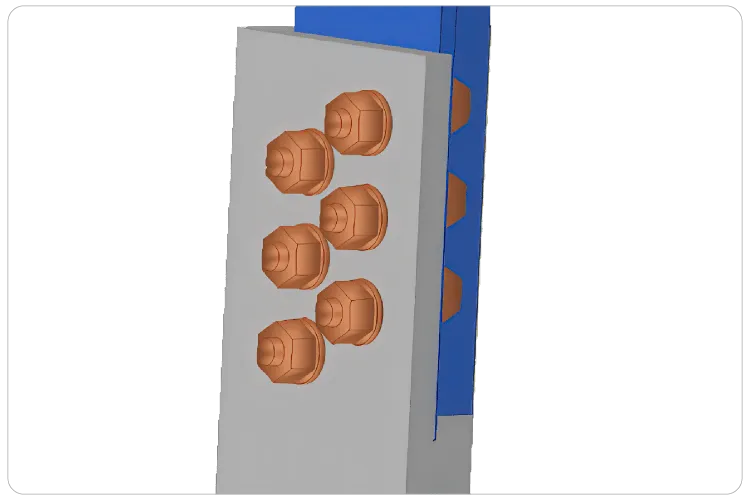
Instead of passing a model from an analysis program to a separate detailing package, VTS works from one model. The structure you analyze and check to ASCE 10-15 and ASCE 48-19 is the same one used to generate connections, gussets, base and cap plates, bolts and step bolts.
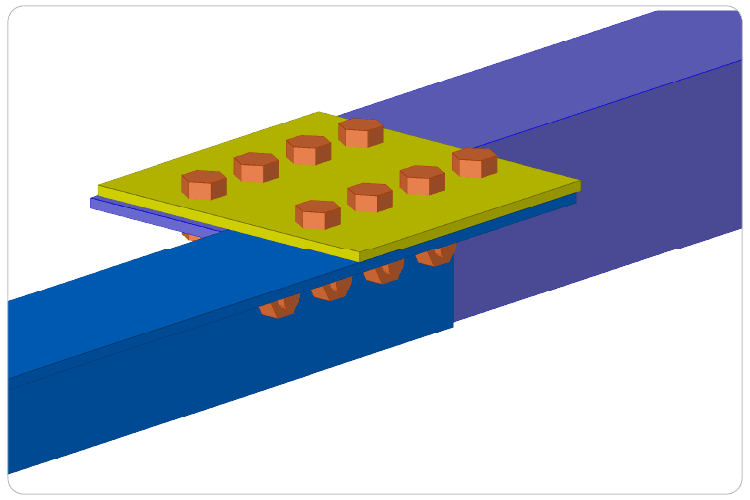
Connections update automatically when members change, clash detection catches interferences before fabrication, and shop drawings, assembly drawings, bills of materials and NC files are extracted directly from the fabrication model.

  1. Modeling
  2. Engineering
  3. Fabrication
  4. Detailing
Book your demo
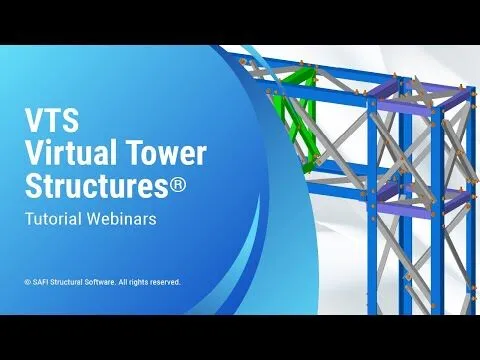
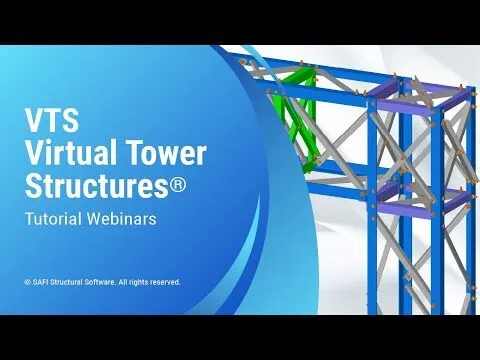
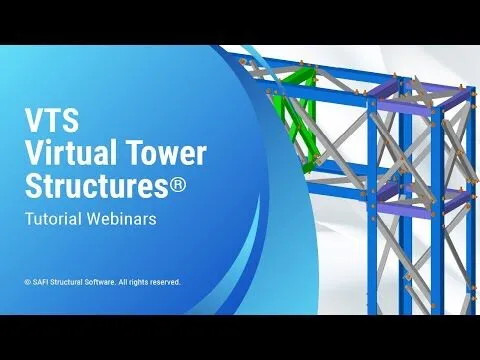
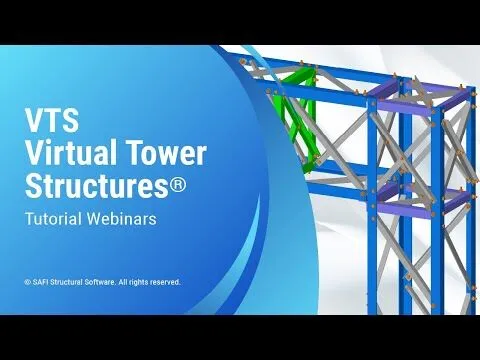
VTS Virtual Tower Structures software 3D model of a steel lattice transmission tower with connections and fabrication details

VTS = M + E + F + D

Analysis, Design, Fabrication & Detailing in One Integrated Workflow

VTS organizes the work into four modes that share the same model. Move from modeling to engineering, fabrication and detailing without exporting, re-entering or redrawing your structure.

  1. Mode 1Modeling

    Parametric Modeling of Substation Structures

    Build lattice gantries, columns and beams with wizard-driven parametric tools.

    • Segment-based columns and beams
    • Panel and bracing libraries, panel editor
    • Automatic beam-column joints
    • Anchor rod pattern generator

    Output: engineering model

  2. Mode 2Engineering

    Structural Analysis & ASCE Design Checks

    Analyze the structure and check every member and connection to code, with results shown numerically or graphically.

    • P-Delta, nonlinear, buckling, frequency, seismic & dynamic
    • Automatic wind and ice loads
    • ASCE 10-15 and ASCE 48-19 member checks
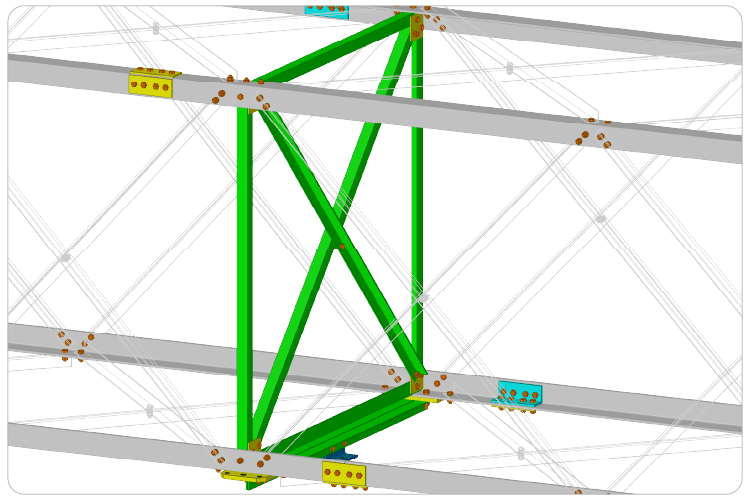
    • Bolted connection checks: shear, bearing, block shear, tear-out

    Output: verified design

  3. Mode 3Fabrication

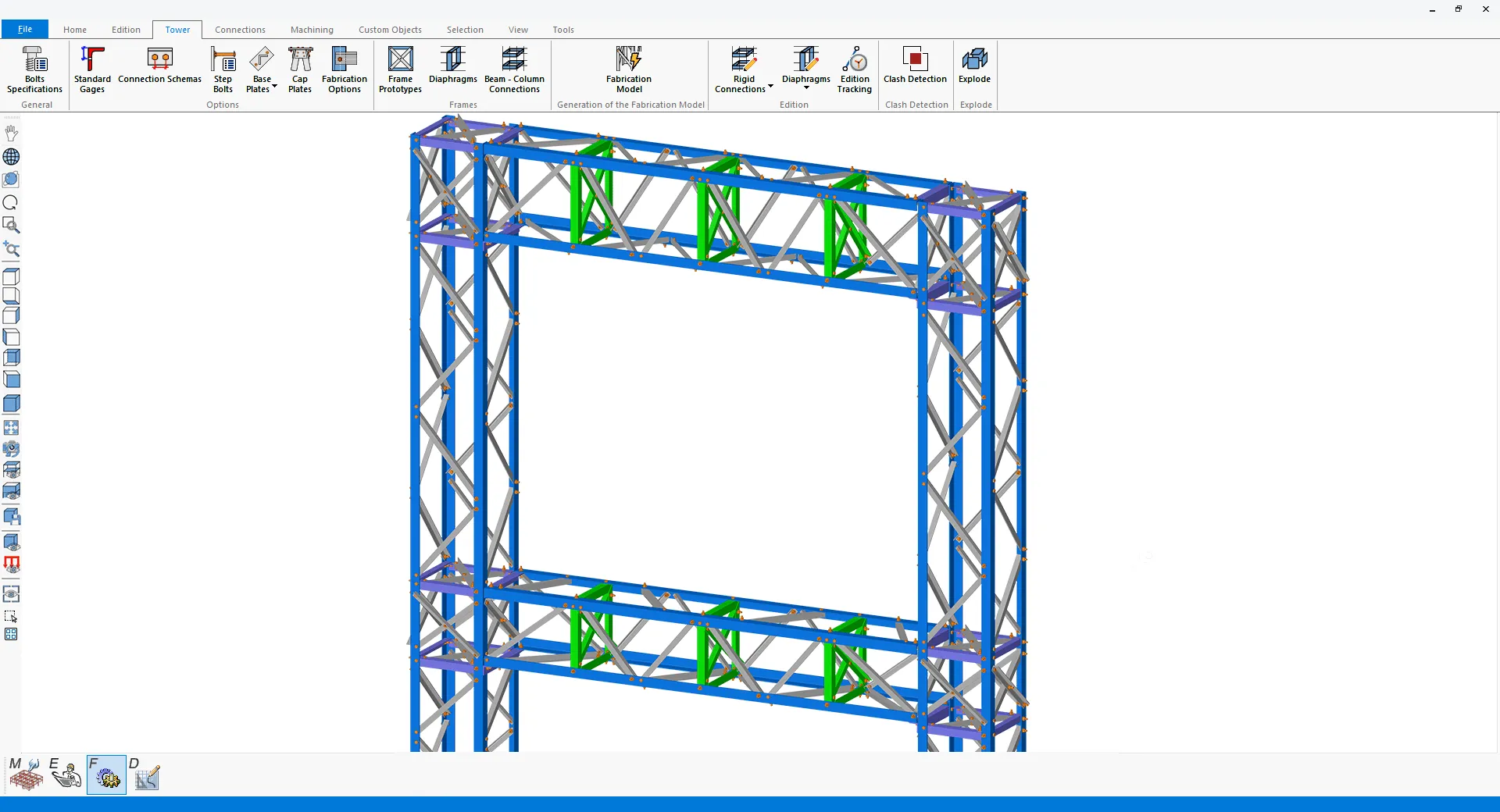
    Automatic Connections & Fabrication Model

    Turn the engineering model into a build-ready fabrication model with connections generated automatically.

    • Rigid beam-column connections, diaphragms, splices
    • Parametric gussets, base and cap plates, step bolts
    • Cuts, copes, notches, holes and welds
    • Clash detection with automatic resolution

    Output: fabrication model

  4. Mode 4Detailing

    Shop Drawings, BOM & NC Files

    Extract every drawing and file the shop needs directly from the fabrication model.

    • Automatic shop and assembly drawings
    • Bills of materials and piece marks
    • Custom sheets, scales and layouts
    • Export to AutoCAD (DWG), NC and IFC

    Output: drawings, BOM & NC files

One model, four modes. End-to-end integration with complete data integrity.

Structure types

Substation Structures & Transmission Towers Modeled & Designed in VTS

Analyze and design lattice gantries, substation structures and lattice transmission towers to ASCE 10-15 and ASCE 48-19.

  • Substation Lattice Gantries

    Model lattice columns and beams joined by rigid beam-column connections, with diaphragms along the beams and bent or welded legs.

    • Segment-based columns and beams with face prototypes
    • Rigid beam-column connections with parametric gussets
    • Diaphragms, cap plates, base plates and step bolts
  • Substation Steel Structures

    Build substation steelwork from individual columns and beams, with a primary-secondary configuration that simplifies large substation models.

    • Automatic beam-column joints
    • Horizontal bracing at any elevation
    • Angles, W, T, HSS and built-up sections
  • Lattice Transmission Towers (coming soon)

    Generate self-supporting and guyed lattice towers with automatic legs, bracing and connections, then configure crossarms, extensions and auxiliary framing.

    • Built-in panel and bracing libraries
    • Crossarms, leg extensions and auxiliary framing
    • Nonlinear cables and tension-only members

Watch the Complete Substation Design Workflow in VTS Virtual Tower Structures®

We respect your privacy. Your information is not shared.

Free overview video

See how one program takes a substation structure from 3D model to shop floor. Register today to receive the overview video directly in your inbox.

In this video

  1. How substation structures and transmission towers are modeled
  2. How structures are analyzed and checked to ASCE 10-15 and ASCE 48-19
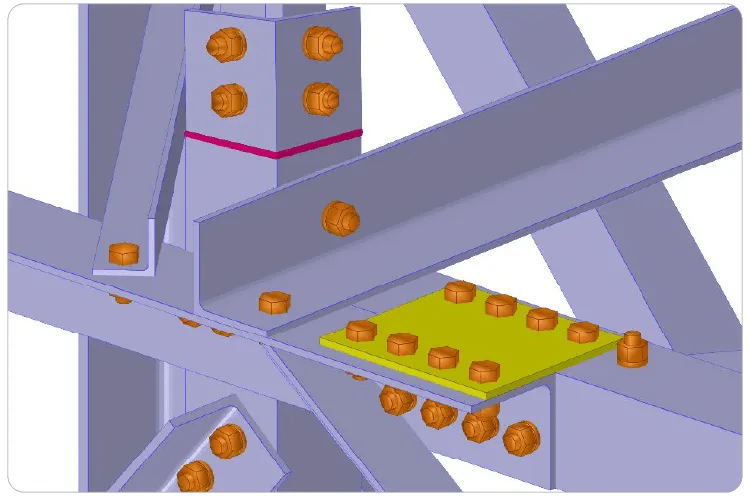
  3. How connections, shop drawings, BOM and NC files are generated from the same model

Capabilities

Core Features of VTS Virtual Tower Structures®

Modeling, analysis, design, connections, fabrication and detailing for electric substations, in one integrated Windows desktop program.

Parametric Modeling for Substations & Transmission Towers

Wizard-driven parametric tools generate complete 3D models of substation structures and lattice towers, with full control over every segment and panel.

  • Substation lattice gantries built from segment-based columns and beams, with automatic dimensions for slope continuity
  • Substation steelwork from individual columns and beams, with automatic beam-column joints and a primary-secondary configuration for large substations
  • Self-supporting and guyed lattice towers with automatic legs, bracing and connections
  • Segment configuration, bracing patterns, leg sections, extensions, crossarms and auxiliary framing
  • Horizontal bracing at any elevation for columns and beams
  • Built-in panel and bracing libraries, panel editor, user-defined libraries and a repository of rigid connection and diaphragm prototypes
  • Connection schemes, bolt definition and an anchor rod pattern generator for base plates
  • Ribbon interface powered by DirectX 11 and OpenGL 2.0, with tools organized in tabs and groups to build large and complex models quickly
  • Models shown as lines, wireframes or rendered 3D solids, with automatic detail elements and transparency for selections, members, plates, surfaces, spatial objects and panels
3D model of a substation lattice gantry with lattice columns, beams and rigid beam-column connections in the VTS ribbon interface

Structural Analysis & ASCE 10 / ASCE 48 Design Checks

Comprehensive analysis with fully integrated design verification. Every geometric and design parameter, including slenderness ratios and force coefficients, is computed automatically and remains editable through graphical or tabular interfaces.

  • Static linear, nonlinear, P-Delta, buckling, frequency, seismic and dynamic analysis
  • Nonlinear cable modeling and tension-only members
  • Dead, wind, ice and thermal loads, plus user-defined wind loads
  • Automatic wind and ice loads on structural and non-structural elements, with wind pressure, drag coefficients, gust and topography factors
  • Concentrated, uniform and trapezoidal loads on members and joints, and spatial object loads
  • ASCE 10-15 for latticed structures and ASCE 48-19 for tubular sections
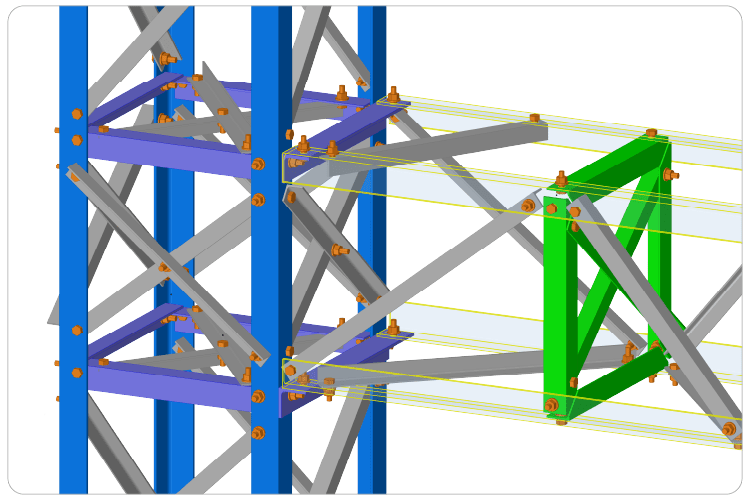
  • Tension, compression, single and combined bending, torsion and warping, slenderness and buckling checks for angles, W, T, HSS and built-up sections
  • Bolted connection checks (shear, bearing, block shear, tear-out), anchor rods and base-plate design for tubular sections
  • Results shown numerically or graphically, with color-coded limit states across the whole structure or selected members, tension-compression and deflection diagrams, and member grouping by shared properties
  • Executive, customizable reports exported to Microsoft Word and Excel
Structural analysis results and ASCE 10 design checks of a substation structure in VTS

Automatic Connections Generated from the Engineering Model

VTS uses the analyzed model directly to generate every connection automatically, with full control to adjust them manually.

  • Direct bolt, splice, overlap, splice back-to-back, diaphragm, rigid and beam-column connections
  • Rigid beam-column connections with parametric gussets, automatically sized from edge distances, bolt count and spacing, gauges and field clearance
  • Gusset, plate and connection prototypes saved to libraries for reuse
  • Customizable bolt spacing, welds and plate dimensions, edited by selection with graphical or tabular tools
  • Connections update automatically when member sizes or alignment change
  • Project defaults for grades, bolts, welds, holes, plates and connections, plus reusable bolt and hole groups with spacing, layout and skew control
  • Shop and field bolts, washer and shim thickness and placement, head and nut inversion and through-bolts
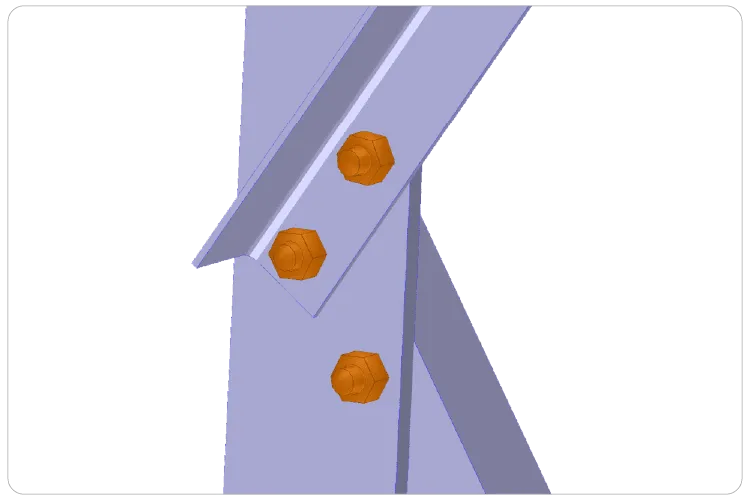
Direct bolt connection generated automatically in VTS
Direct bolt
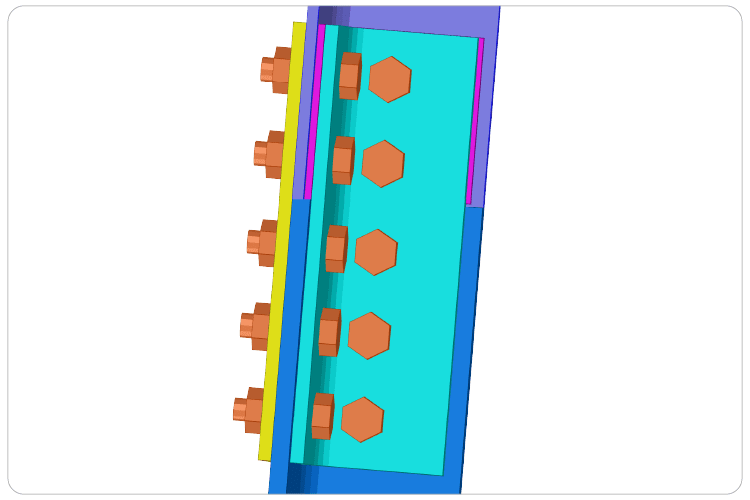
Bolted splice connection on a lattice leg in VTS
Splice
Overlap connection between lattice members in VTS
Overlap
Back-to-back splice connection in VTS
Splice back-to-back
Diaphragm with gusset plate in a substation lattice beam in VTS
Diaphragm
Rigid beam-column connection of a substation gantry in VTS
Rigid connection
Beam-column connection in substation steelwork in VTS
Beam-column

Plates, Step Bolts, Machining & Clash Detection

Turn the engineering model into a build-ready fabrication model, with every plate, bolt, cut and hole defined.

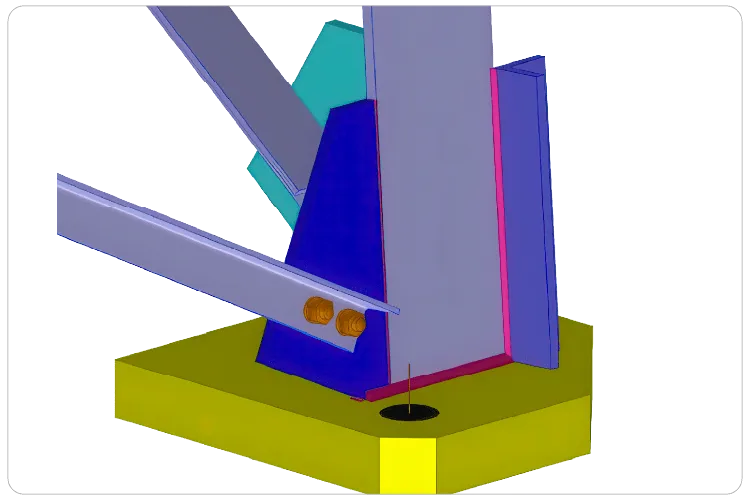
  • Base plates from a plate library, generated automatically on all main legs, with anchor rods, stiffeners, gussets and welds
  • Cap plates with bent-plate or bent-angle connectors and optional reinforcing plates
  • Step bolts generated automatically from an A394 library or custom bolts, with step spacing and elevation limits
  • Member cuts: length cuts, copes, clips, blocks, flush and plane cuts
  • Advanced notches: dog bone, bevel, dovetail, needle, rat and drain holes, plus rectangular or circular slots and openings with rotation, roll and depth control
  • Custom parts and block libraries to reuse groups of plates, bolts, holes and welds across projects and teams
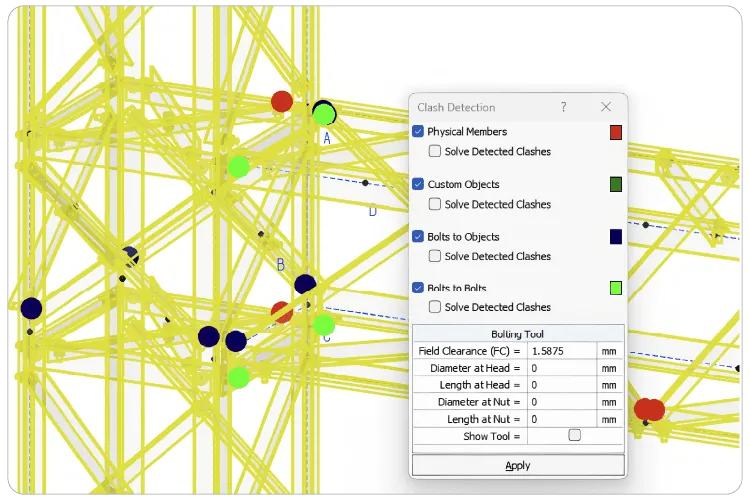
  • Clash detection between members, custom objects and bolts, with a results table, graphical preview and automatic resolution
Cap plate with connector at the top of a lattice column in VTS
Cap plate
Base plate with anchor rods and gussets generated in VTS
Base plate
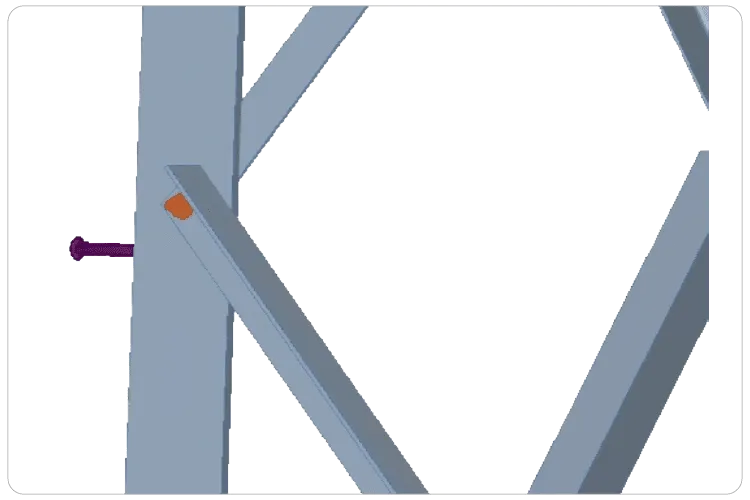
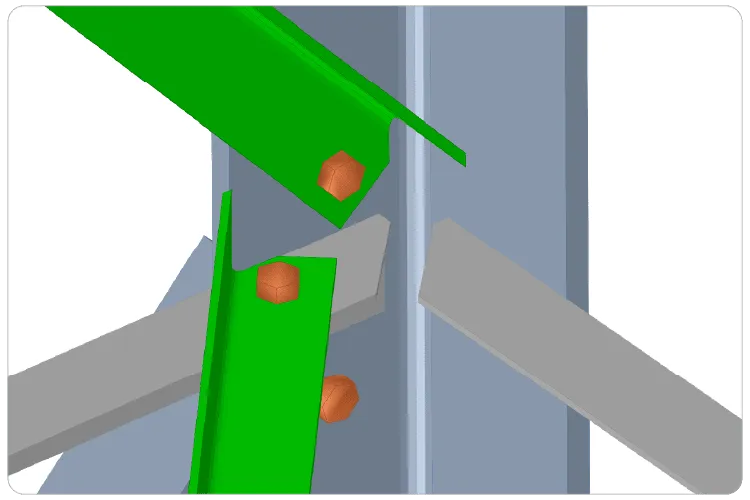
Step bolts generated automatically on a lattice leg in VTS
Step bolt
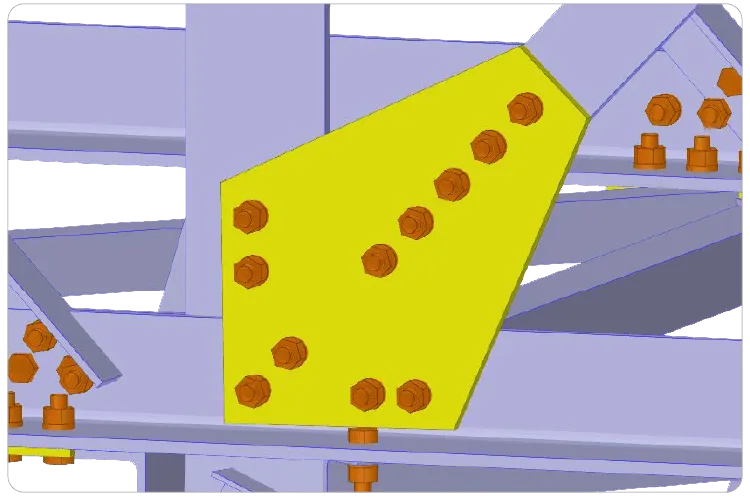
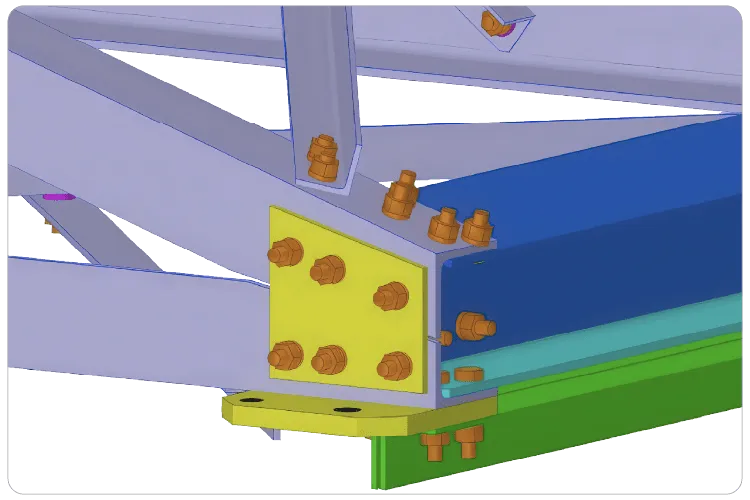
Parametric gusset plate connection in VTS
Gusset
Reusable block of custom parts and bolts in VTS
Block
End cut machining operation on a steel angle in VTS
End cut
Clash detection between members and bolts in VTS
Clash detection

Shop Drawings, Assembly Drawings, BOM & NC Files

All drawings and files are extracted directly from the fabrication model, so they stay consistent with the analyzed design.

  • Automatic shop drawings and general assembly drawings from the 3D model, plus 2D and 3D manufacturing, engineering and detail drawings
  • Multiple face views, isometrics and key plans
  • Auto-generated marks, groups, views and drawings, with custom groups and segment-based grouping
  • Embedded details: piece marks, hole patterns, welds and cutting instructions
  • Custom sheet sizes, scales, margins and printer settings, with automatic optimal layout or manual control
  • Bills of materials and quantities
  • Editable DWG files and NC files ready for CNC machine tools
  • Export to AutoCAD, CNC and IFC
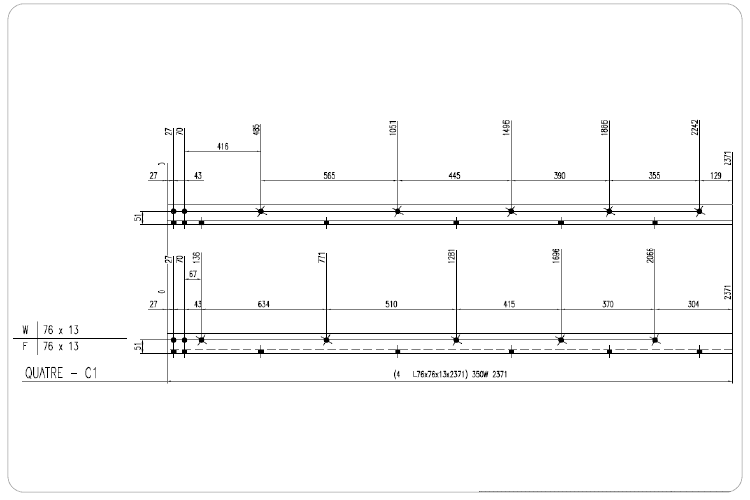
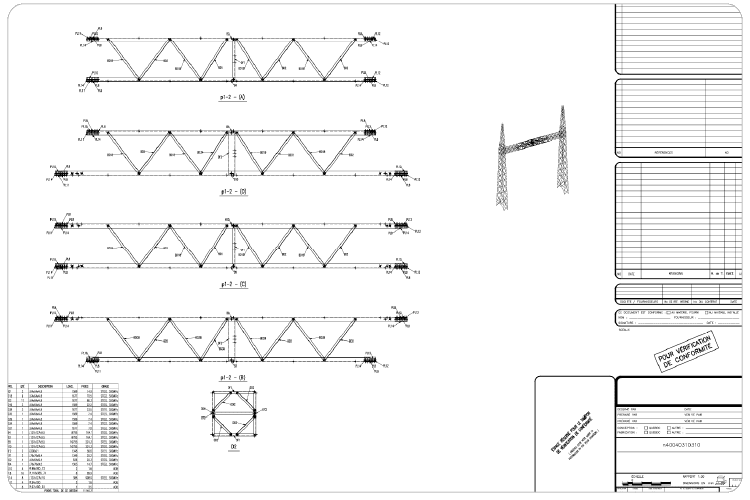
Automatic shop drawing of a steel piece with hole patterns and piece marks in VTS
Shop drawings
General assembly drawing of a lattice structure generated in VTS
Assembly drawings

The Operational Framework · M + E + F + D

One Model, Four Modes with Complete Data Integrity

In VTS, Modeling, Engineering, Fabrication and Detailing are four modes of the same model. Switch between them at any time: geometry, loads, results, connections and drawings stay linked, with nothing exported, re-entered or redrawn between modes.

The same substation gantry model shown in the four VTS modes

Model data carried forward

  • Geometry
  • Sections
  • Panels
  • Loads
  • Results
  • Code checks
  • Connections
  • Plates & bolts
  • Cuts & holes
  • Drawings
  • BOM
  • NC files
Mode 1 of 4Modeling Mode

Parametric Modeling of Substation Structures

Build lattice gantries, columns, beams and transmission towers with wizard-driven parametric tools.

  • Segment-based columns and beams
  • Panel and bracing libraries, panel editor
  • Automatic beam-column joints
  • Anchor rod pattern generator

Carries forward to Engineering

Mode 2 of 4Engineering Mode

Structural Analysis & ASCE Design Checks

Analyze the same model and check every member and connection to code, with results shown numerically or graphically.

  • P-Delta, nonlinear, buckling, frequency, seismic & dynamic
  • Automatic wind and ice loads
  • ASCE 10-15 and ASCE 48-19 member checks
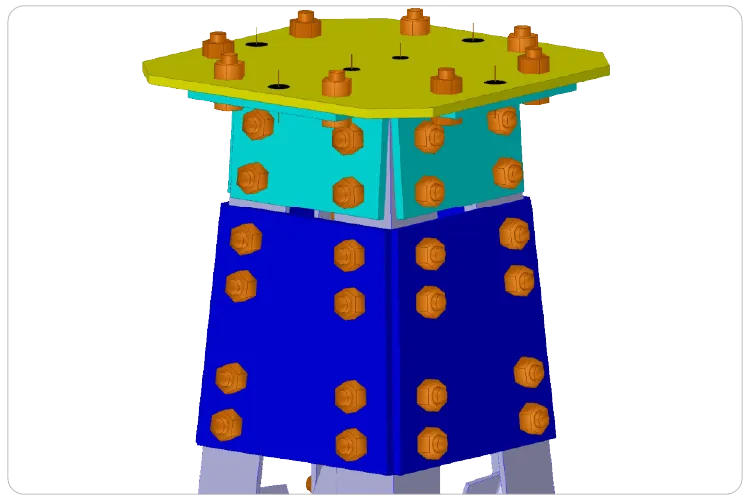
  • Bolted connection checks: shear, bearing, block shear, tear-out

Carries forward to Fabrication

Mode 3 of 4Fabrication Mode

Automatic Connections & Fabrication Model

The analyzed model becomes a build-ready fabrication model, with connections generated automatically.

  • Rigid beam-column connections, diaphragms, splices
  • Parametric gussets, base and cap plates, step bolts
  • Cuts, copes, notches, holes and welds
  • Clash detection with automatic resolution

Carries forward to Detailing

Mode 4 of 4Detailing Mode

Shop Drawings, BOM & NC Files

Every drawing and file the shop needs is extracted directly from the fabrication model.

  • Automatic shop and assembly drawings
  • Bills of materials and piece marks
  • Custom sheets, scales and layouts
  • Export to AutoCAD (DWG), NC and IFC

Output: drawings, BOM & NC files

Events & conferences

Meet the VTS Team at Industry Events

See VTS® Virtual Tower Structures® in action: an end-to-end integrated solution for the modeling, analysis, design, fabrication and detailing of electrical substations and transmission towers, all within a single software environment.

We regularly meet engineers, utility professionals and industry leaders at the main transmission and substation conferences.

  • Upcoming

    IEEE PES T&D Conference & Exposition 2028

    • Atlanta, Georgia
    • April 24–27, 2028

    Meet the VTS team in Atlanta and see the complete substation workflow live. Can’t wait until then? Book a demo with our engineering team.

    Book your demo
  • Upcoming

    Overhead Power Line Structures Conference 2028

    • Nashville, Tennessee
    • October 1–5, 2028

    The ASCE successor to the ETS Conference. Meet the VTS team in Nashville and talk substation and transmission structures with our engineers.

    Book your demo
  • Past event

    IEEE PES T&D Conference & Exposition 2026

    • McCormick Place, Chicago
    • May 4–7, 2026

    We showcased VTS to engineers, utility professionals and industry leaders from the transmission and distribution community.

  • Past event

    ETS Conference 2025

    • Dallas, Texas
    • September 2025

    We had a great time connecting with the transmission and substation community at the ETS Conference.

We look forward to connecting with engineers, utility professionals and industry leaders shaping the future of electrical infrastructure.

Get started with VTS®

Ready to Design Smarter? From 3D Model to Shop Floor in One Program

Analyze, design, detail and fabricate electrical substation structures to ASCE 10-15 and ASCE 48-19, with shop drawings, bills of materials and NC files generated from the same model.

Prefer to talk? Call toll‑free 1 800 810‑9454

GET STARTED

Book a live VTS® demo with our engineering team

See how VTS® takes electrical substation structures from 3D model to shop floor in one program: parametric modeling, ASCE 10-15 and ASCE 48-19 analysis and design, automatic connections, shop drawings, bills of materials and NC files, followed by a live Q&A session to answer all your technical questions.
  • Live demo with our engineering team
  • Tailored to your substation structures
  • Live Q&A session

We respect your privacy. Your information is not shared.

Request your VTS® demo

A member of our engineering team will contact you shortly to schedule your session.